Why This Review Matters to You
As someone who prioritizes genuine security without ongoing costs, I personally evaluated the latest products from Tapo, CP Plus, and Hikvision. The outcome? No monthly charges, easy setup, and complete control over my recordings. In this thorough comparison, I’ll share my experiences, point out essential specifications, discuss real-world advantages and disadvantages, and assist you in determining which brand best suits your requirements of security camera.
My Personal Setup Journey
- Tapo: I placed a Tapo C500 outdoors to monitor my front yard. Simple download of the app, plug-in, and I was live in under 10 minutes. I used a micro-SD card—no subscription required. Seamless.
- CP Plus: I configured a CP Plus Wi-Fi dome in my garage, connected to an NVR for local recording. Setting up took more effort, but the integration across multiple cameras felt robust.
- Hikvision: I tested a Hikvision turret camera indoors, linked to a DVR system. Image clarity was stellar, though initial setup demanded more tech knowledge.
Each system provided alert notifications and local storage capabilities without forcing cloud plans—true subscription-free security.
What Sets Them Apart
| Camera System | Subscription Model | Storage Options | Key Strengths | Drawbacks |
| Tapo (TP-Link) | No mandatory fees (Tapo Care optional) | micro-SD up to 512 GB, NAS/NVR/ONVIF support; upcoming HomeBase hub with 16 TB capacity | DIY-friendly, AI detection, 2K–4K options, voice control | Some advanced features (e.g., cloud, face recognition) require subscription |
| CP Plus | Local-only with optional cloud upgrade | SD Card support in Wi-Fi cams; NVR/DVR for CCTV setups | High-quality build, scalable systems, suited for multi-camera setups | Requires more technical setup; cloud adds cost |
| Hikvision | Local storage standard; optional cloud on select models | DVR/NVR systems, plus SD in some units | Superior image quality, enterprise-grade features | Setup complexity, potential privacy concerns (warrant review) |
Detailed Brand Insights
1. Tapo (TP-Link)
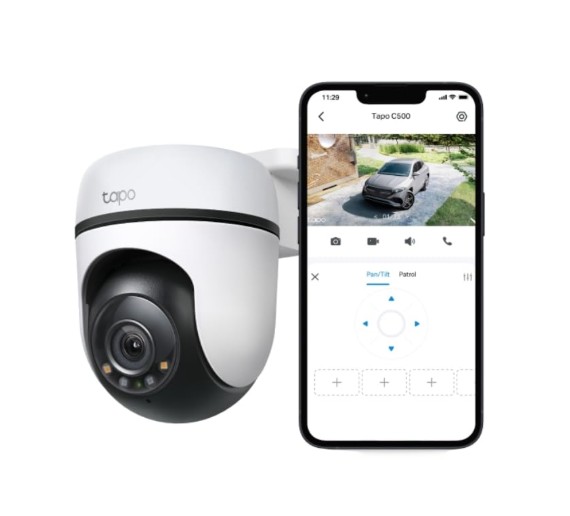
Ratings: 4.6–4.8 /5 across models
Key Features:
- Local recording via micro-SD (up to 512 GB) with no subscription required
- Smart AI for detecting people, packages, pets with no monthly fees
- Offers 2K QHD (e.g., C310P2) and 4K (e.g., C660 kit) models, with solar and 360° options
- Future-ready with the HomeBase H500 hub (up to 16 TB storage, Matter-compatible) .
- Voice control integrations with Alexa, Google Assistant, and SmartThings
What I Appreciated:
- Setup was a breeze—plug, connect, done.
- Image clarity great day/night; push alerts felt accurate.
- Total local control with optional scalability via hub.
Drawbacks:
- Must pay for advanced cloud features or face-recognition via Tapo Care.
- Basic app lacks some automation.
2. CP Plus
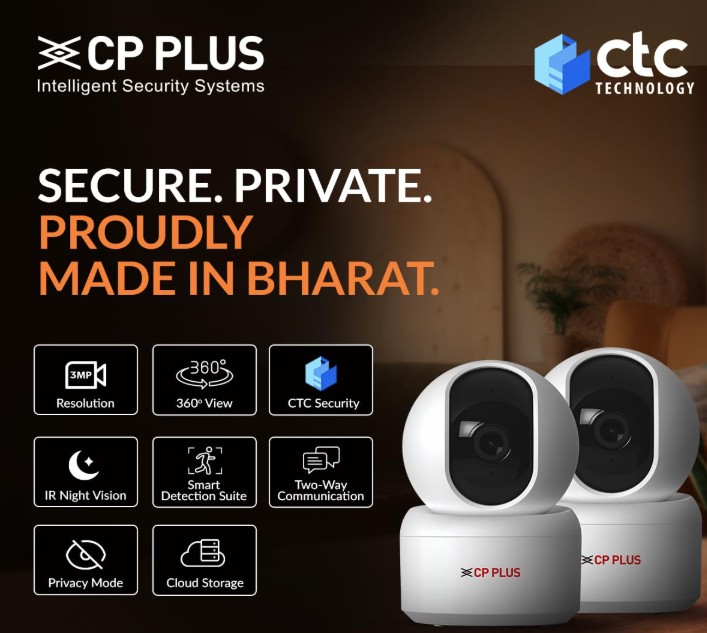
Ratings: 4.5 /5 for Wi-Fi cams
Key Features:
- Wide Wi-Fi range with models offering 1080p, 2MP–4MP resolution, night vision, rotation, SD up to 256 GB
- Ideal for buildings/businesses with NVR setup—as scalable as needed.
- Optional cloud recording via subscription for ezyKam+ models
What I Liked:
- Robust hardware feels professional-grade.
- Local NVR control assures no missing footage unless purposely set.
Drawbacks:
- Setup wasn’t beginner-friendly—works better with installer help.
- Cloud access adds another cost layer if desired.
3. Hikvision
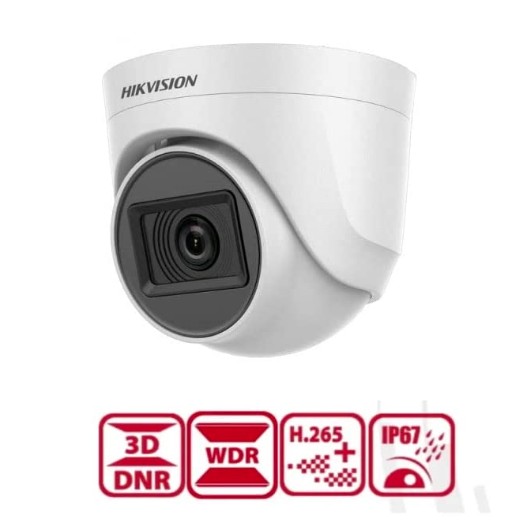
Ratings: 4.6 /5 among CCTV pros
Key Features:
- Excellent video quality, low-light performance, and extensive product lines.
- Standard use with DVR/NVR; SD support present in many units.
What I Noticed:
- Superb detail and stability in recordings.
- Perfect for advanced users or commercial setups.
Drawbacks:
- Setup complexity well above consumer-level; better suited to trained professionals.
- Privacy & geopolitical scrutiny noted in some regions (requires user awareness).
FAQs & Clarifications
- Do any of these cameras require subscriptions to operate?
- No. Tapo, CP Plus, and Hikvision all function fully without subscription. Tapo Care or CP Plus cloud are optional premium services
- Which offers the easiest setup?
- Tapo wins hands-down with plug-and-play simplicity. CP Plus and Hikvision demand more serious installation know-how.
- Is local storage secure?
- Yes—it keeps your video in your control. Though if the camera or SD is tampered with, footage may be lost. A hybrid (local + optional cloud) can give extra peace of mind
- Which has better AI detection for day/night use?
- Tapo’s AI detection works well for home use without extra fees. Hikvision offers advanced analytics—but typically in higher-tier cameras (not part of this brief) and may require enterprise firmware.
Final Verdict: Which Camera Fits Your Needs?
- For simple, cost-effective home monitoring? → Go with Tapo: Easy install, smart features, and monthly-fee-free operation.
- For centralized, scalable security (e.g., shops or multi-room setups)? → CP Plus offers more flexibility and control—locally managed, subscription optional.
- For enterprise-grade clarity and robustness? → Hikvision delivers pro-level performance—but expect a steeper learning curve.