Introduction: A Smarter Way to Secure Your Home
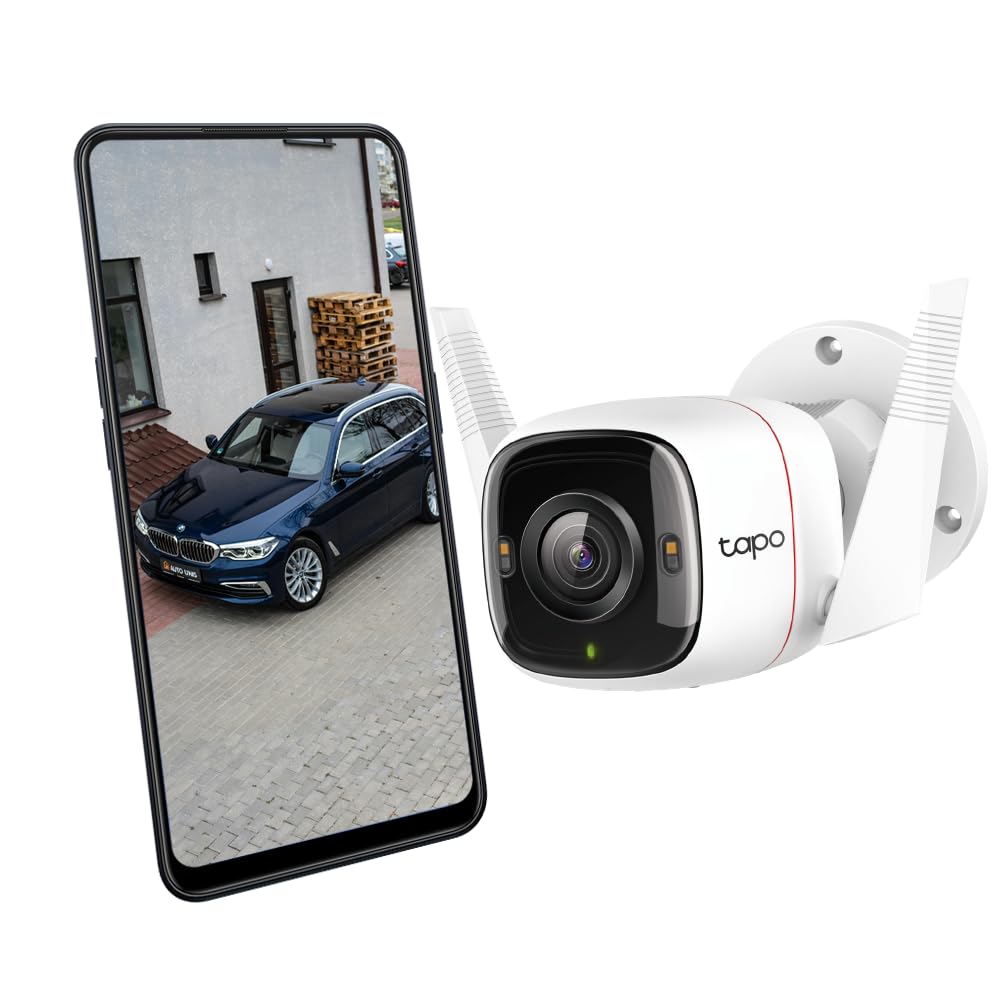
If you’re looking for a powerful and affordable outdoor security camera, the Tapo 4MP 2K QHD Smart Wi-Fi Camera (Tapo C320WS) is one device that truly stands out. After using it for several months around my house entrance, I can confidently say — it’s one of the best smart home security upgrades you can get under ₹5,000.
Developed by TP-Link’s Tapo series, this camera combines 2K QHD clarity, AI-powered motion detection, Alexa integration, and all-weather durability, making it an ideal pick for home, garage, and small office monitoring.
Key Specifications:
| Feature | Details |
|---|---|
| Resolution | 4MP QHD (2560×1440) |
| Night Vision | Starlight Sensor with Color Night Vision |
| Connectivity | 2.4GHz Wi-Fi |
| Weatherproof Rating | IP66 |
| Audio | Two-Way Audio (Built-in mic & speaker) |
| Storage Options | microSD Card (up to 256GB) / Cloud |
| Smart Integration | Alexa & Google Assistant compatible |
| Power Source | Wired |
| Motion Detection | AI-powered with customizable zones |
Design and Build Quality
At first glance, the Tapo 4MP camera looks sleek and premium. It’s compact, white, and comes with a sturdy mounting kit. The metal body with IP66 weatherproof rating ensures it can withstand harsh climates — whether it’s dust, rain, or heat.
I installed mine above the garage door, and after three months of use, it still looks brand new. The antenna design ensures stable Wi-Fi connectivity, even at a distance from the router.

Image & Video Quality: Crystal-Clear 2K Vision
This is where the Tapo 4MP 2K camera shines — literally. The 2K QHD (2560×1440) resolution captures every detail, from vehicle number plates to facial features, even in low light.
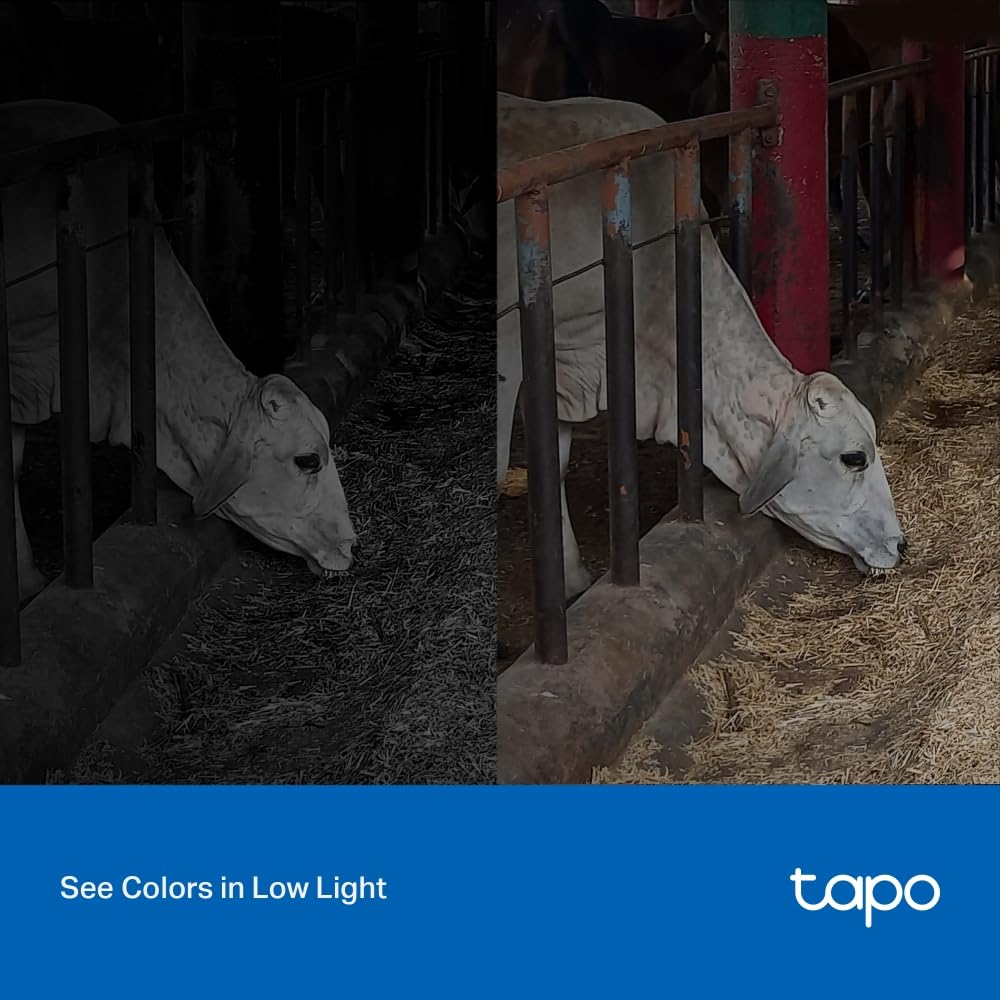
The Starlight Sensor allows color night vision, unlike regular infrared cameras that show black-and-white footage. In testing, even under dim streetlight, I could clearly identify people walking 15–20 meters away.
If you’re upgrading from the Tapo C310 (1080p), this jump in clarity is noticeable.
Smart Features That Make Life Easier
- AI Motion Detection & Alerts – The camera differentiates between people, vehicles, and general motion, reducing false alarms.
- Two-Way Audio – I’ve used this feature to warn delivery persons or even greet guests — it works seamlessly.
- Custom Activity Zones – You can define specific areas to monitor, so random motion (like trees swaying) doesn’t trigger alerts.
- Alexa Integration – Saying “Alexa, show me the front door camera” instantly displays live footage on my Echo Show.
- Siren & Light Alarm – You can activate a built-in siren or flashing light to deter intruders — a feature usually seen in higher-end cameras.
Performance Review: My Hands-On Experience
After continuous use for 90 days, here’s my honest breakdown:
| Category | Rating (out of 5) | Experience Summary |
|---|---|---|
| Video Quality | ⭐⭐⭐⭐⭐ | Crisp 2K resolution with rich details |
| Night Vision | ⭐⭐⭐⭐½ | Clear color view even in low light |
| Wi-Fi Connectivity | ⭐⭐⭐⭐ | Stable connection with minor delay |
| App Control (Tapo App) | ⭐⭐⭐⭐⭐ | Intuitive, user-friendly, and reliable |
| Motion Alerts | ⭐⭐⭐⭐½ | Accurate detection with adjustable zones |
| Audio Clarity | ⭐⭐⭐⭐ | Loud enough for communication |
| Durability | ⭐⭐⭐⭐⭐ | Handles heat and rain perfectly |
Pros and Cons
✅ Pros
- Excellent 2K QHD clarity with color night vision
- Weatherproof IP66 body for outdoor reliability
- AI detection minimizes false alerts
- Works with Alexa & Google Assistant
- Supports local & cloud storage
- Easy DIY installation with app guidance
❌ Cons
- Requires wired power (not battery-operated)
- Wi-Fi only 2.4GHz, no 5GHz support
- No pan/tilt control, fixed angle
- Cloud subscription needed for extra features
Comparison: Tapo 4MP 2K vs Other Cameras
| Model | Resolution | Night Vision | Smart Features | Price Range | Verdict |
|---|---|---|---|---|---|
| Tapo C310 (Old Version) | 1080p | Black & White | Basic motion alerts | ₹3,000–₹3,500 | Good for beginners |
| Tapo C320WS (Current) | 2K QHD (4MP) | Color Night Vision | AI detection, Alexa support | ₹4,500–₹5,000 | Best value pick |
| Mi Home Security Cam 360° | 1080p | Infrared | 360° rotation, app control | ₹4,000–₹4,500 | Great for indoor use |
| Realme Smart Cam 360° | 1080p | Infrared | Motion tracking | ₹3,999 | Decent but indoor only |
| TP-Link C420S2 (Battery Model) | 2K QHD | Color Night Vision | Wire-free, dual-camera kit | ₹14,000+ | Premium wireless setup |
Best Use Cases
- Home Entrances & Driveways: Monitor visitors and deliveries in real-time.
- Garage & Parking Areas: Detect motion near vehicles at night.
- Office or Warehouse Entrances: Keep an eye on entries after hours.
- Remote Locations: Access footage through the Tapo app anytime.
Installation & App Experience
Setup is simple:
- Mount the camera using the included bracket.
- Connect to power and sync with the Tapo app.
- Adjust your motion zones and alert settings.
- Link to Alexa or Google Home for voice control.
Within 10 minutes, you’ll have a fully functional, smart outdoor surveillance system.
Final Verdict: Should You Buy It?
If you want a reliable, high-definition, weatherproof, and AI-enabled camera, the Tapo 4MP 2K QHD is an unbeatable deal in its segment. Its color night vision, two-way audio, and seamless app integration make it a complete home security solution without the hefty price tag.
Whether you’re protecting your home, office, or family, this camera provides peace of mind, day and night.
⭐ Overall Rating: 4.7 / 5
| Aspect | Score |
|---|---|
| Performance | 4.8 |
| Design & Build | 4.6 |
| Features | 4.7 |
| Value for Money | 4.8 |
FAQ Section
Q1. Does Tapo 4MP work without Wi-Fi?
No, it requires a 2.4GHz Wi-Fi connection to operate and access live footage.
Q2. Can I store video without cloud subscription?
Yes, you can use a microSD card (up to 256GB) for local storage.
Q3. Is it suitable for indoor use?
While it’s designed for outdoor use, it works great indoors too.
Q4. How is it powered?
It uses a wired power adapter, included in the box.
Q5. Can I view the camera feed remotely?
Absolutely. The Tapo app allows you to monitor from anywhere in the world.